How to use your steam account on browser
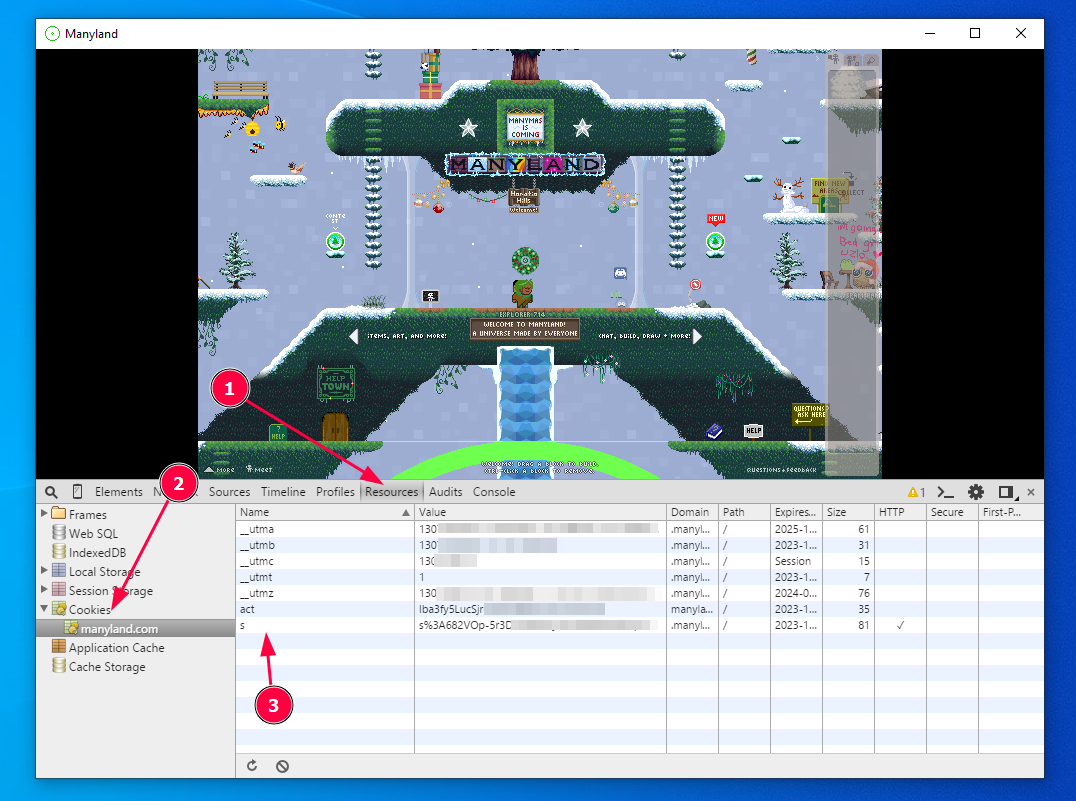
Open the Dev Tools on Steam by pressing Ctrl + F12.
Click on the (1) Resource tab, then (2) Cookies, and copy the value of the s cookie (double-click on the value, then ctrl+c or drag it to notepad.)
The s cookie starts with s%3A.
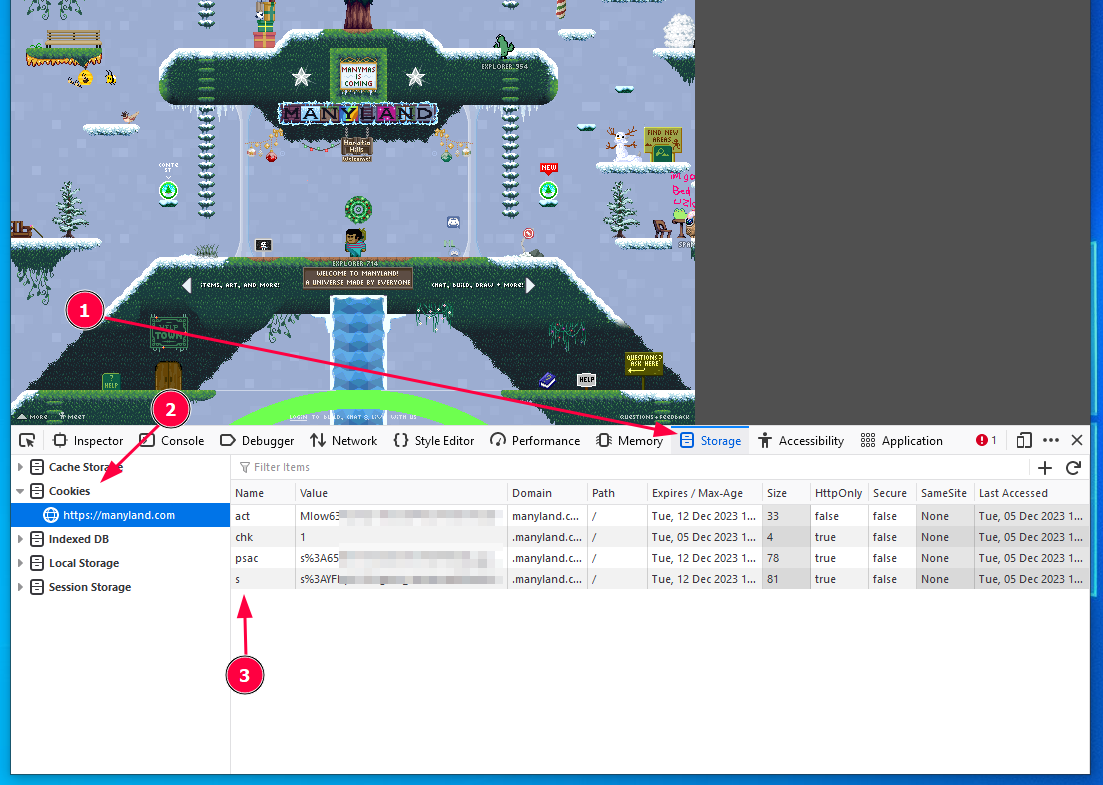
On your browser, go to Manyland.com, then open the devtools again (F12).
Click on the (1) Storage tab, then (2) Cookies. This time, replace the value of the s with the one you copied from Steam.
Refresh. If everything goes well, you'll be logged-in on your steam account! You can now continue with the exporter.
If it didn't work, try going over the steps again.